

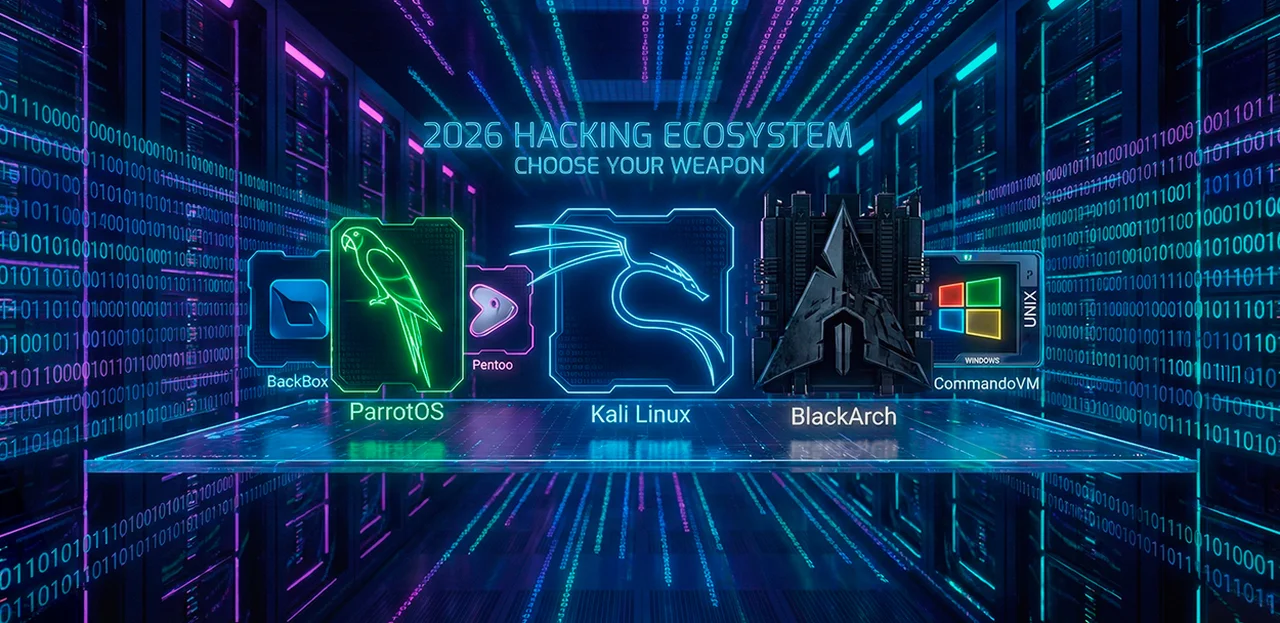
A pentester without a specialized distribution is like a chef without a knife: you can work, but it's extremely inconvenient. Sure, you could assemble everything manually on a clean Ubuntu or Arch, but that's like fixing an engine with duct tape and a screwdriver: technically possible, practically a waste of time. Ready-made builds provide hundreds of pre-installed tools, a configured environment, and the ability to boot from a USB drive without installing to disk. The question is which build to choose.
By 2026, the landscape has changed significantly. Kali remains the industry standard, but competitors have caught up: ParrotOS released its seventh version with a toolkit for testing AI system security, BlackArch surpassed 2,850 tools in its repositories, and BackBox quietly carved out a niche for those who don't need the entire arsenal. We break down six distributions worth considering in 2026, with specifics on versions, capabilities, and limitations.
Kali Linux: 600+ Tools and 15 Years at the Top of the Rankings
Kali Linux
- Industry standard. The only distribution tied to OffSec certifications (OSCP, OSEP, OSED). 99% of pentesting training materials are written for Kali.
- Maximum ecosystem. Ready-made images for VM, Docker, WSL, ARM, Raspberry Pi. Mobile pentesting via NetHunter with Android 16 support.
- Quarterly releases. Version 2025.4 — kernel 6.16, GNOME 49, KDE Plasma 6.5, full transition to Wayland with support for all hypervisors.
- Overloaded with tools. Over 600 pre-installed tools — a significant portion is never used. Some work unstably out of the box.
- Not for daily use. No home edition. The developers themselves don't recommend using Kali as a primary OS.
Kali Linux remains the default distribution, and for good reason. It's developed by OffSec (formerly Offensive Security) — the company behind the OSCP certification, which everyone in the industry knows. Kali is built on Debian, updated via a rolling release model (new versions come out quarterly, packages are updated continuously), and by February 2026 has reached version 2025.4 with kernel 6.16.
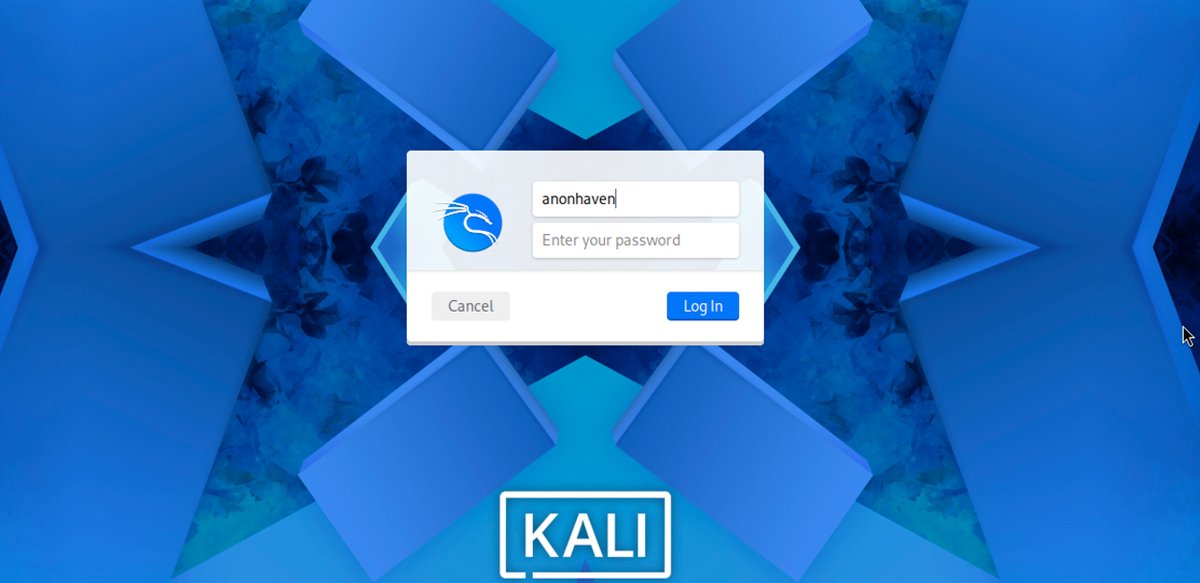
Kali Linux login screen — XFCE, default theme
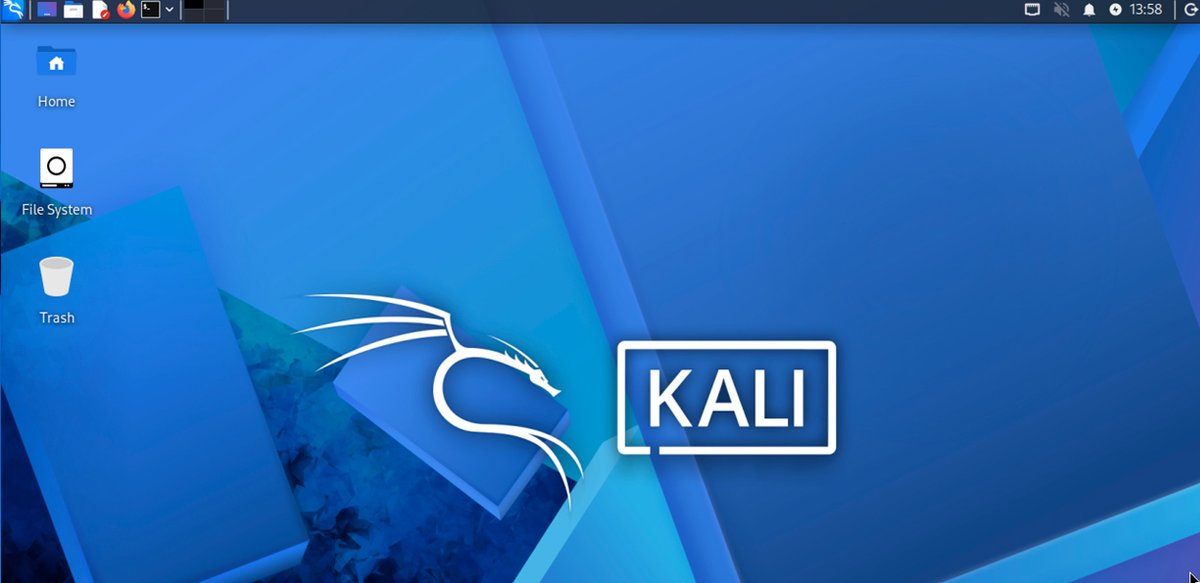
Standard Kali Linux desktop — minimalism, no clutter
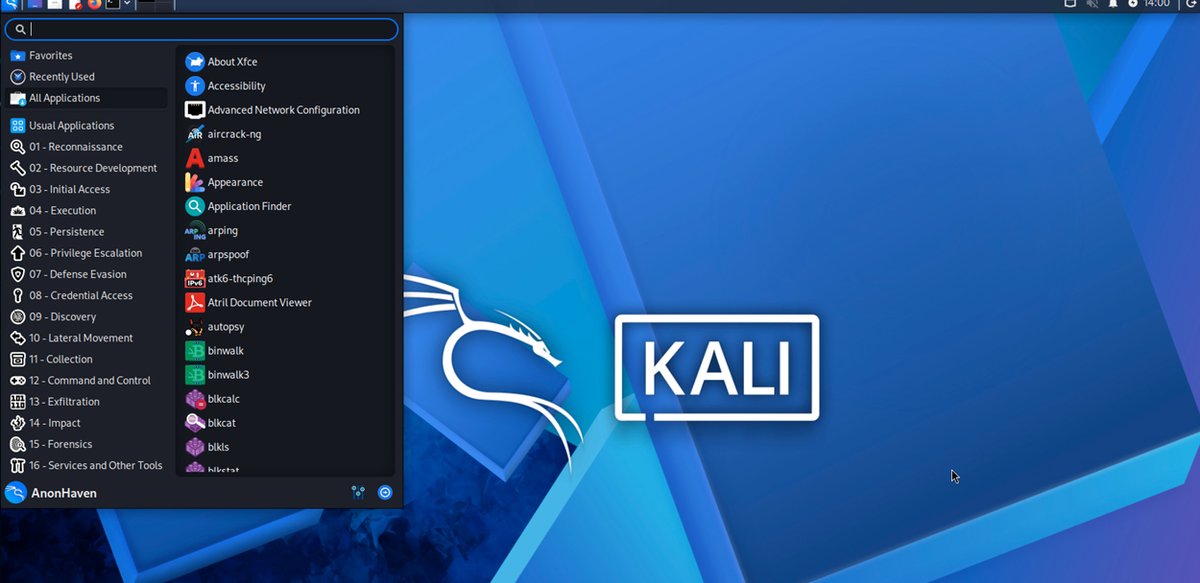
Kali Linux 2025.4: tools organized by 16 attack tactics
What's New in Kali Linux 2025–2026
| Version | Date | Key Changes |
|---|---|---|
| 2025.4 | December 2025 | GNOME 49 (Wayland only), KDE Plasma 6.5, tools organized into folders in app menu, new tools: bpf-linker, evil-winrm-py, hexstrike-ai |
| 2025.3 | September 2025 | Nexmon support for Raspberry Pi, NetHunter on Android 16, Samsung Galaxy S10 (2.4 + 5 GHz), CARsenal module |
| 2025.2 | June 2025 | Xfce and KDE updates, new reconfiguration tools |
| 2025.1 | March 2025 | First 2025 release, kernel updated to 6.12 |
Latest updates: version 2025.4 introduced full Wayland support — a modern display protocol that better isolates applications from each other and reduces the risk of screen capture or keystroke interception. All three desktop environments have been updated: GNOME, KDE, and Xfce, and Kali tools are now organized into category folders directly in the application menu, significantly simplifying navigation. Version 2025.3 added Nexmon support — this allows putting the built-in Raspberry Pi adapter into monitor mode and using it for wireless traffic interception.
| System Requirements | Value |
|---|---|
| Min. RAM | 2 GB |
| Rec. RAM | 8 GB |
| Min. Disk | 20 GB |
| Rec. Disk | 40+ GB SSD |
| Architecture | 64-bit only |
Kali still offers options for virtual machines, ARM devices, WSL (Windows Subsystem for Linux), and mobile platforms via Kali NetHunter. The latter received Samsung Galaxy S10 support in 2025 with interception on both bands: 2.4 and 5 GHz, as well as the CARsenal module for testing automotive networks via the CAN bus.
Key Kali Linux Tools
| Tool | Purpose |
|---|---|
| Burp Suite Community | Intercepting and analyzing HTTP/HTTPS traffic of web applications |
| BloodHound | Visualizing attack paths in Active Directory |
| Wifipumpkin3 (new in 2025.4) | Creating rogue Wi-Fi access points for MitM attacks |
| HexStrike AI (new in 2025.4) | Testing LLM resilience against manipulative prompts |
| Evil-WinRM-py (new in 2025.4) | Remote management of Windows machines via WinRM |
| Kali NetHunter + CARsenal | Mobile pentesting from Android, including automotive CAN bus testing |
| Kali Undercover | Disguising the interface as Windows 10 for working in public places |
On the downside, Kali Linux is overloaded. Over 600 pre-installed tools mean you'll never open some of them. Some tools work unstably out of the box — this is a known characteristic that the developers don't hide. For beginners without Linux experience, Kali Linux can be overwhelming.
Who Should Use Kali Linux
Professional pentesters whose teams are standardized on Kali, those preparing for OSCP/OSEP certification, specialists who need maximum compatibility with guides and documentation — the vast majority of penetration testing training materials are written for Kali.
ParrotOS: A Lightweight Alternative to Kali Linux
Parrot Security OS
- Privacy out of the box. Built-in Tor, Anonsurf, AppArmor, and encryption tools. The only pentesting distro that's comfortable to use as a primary OS (Home edition available).
- First in AI security. Dedicated category of tools for LLM auditing, including HexStrike AI. Experimental MCPwn project for integrating AI into pentesting workflows.
- Modern architecture. Version 7.1 based on Debian 13 Trixie, KDE Plasma 6 by default with Wayland, first pentesting distro with RISC-V support. Over 800 tools.
- Less documentation. The community is active, but the number of guides, courses, and books is significantly less than Kali Linux. If you're studying OSCP materials, you'll need to adapt.
- Driver issues. Users report the need to manually install audio, camera, and microphone drivers.

Kali's main competitor, and in 2026 it has gained some serious arguments. In February, version 7.1 based on Debian 13 Trixie was released, meaning system libraries and kernel are newer than Kali Linux. The default desktop environment is now KDE Plasma 6 on Wayland, optimized for lightweight performance, with system requirements starting at 4 GB of RAM (8 GB recommended).
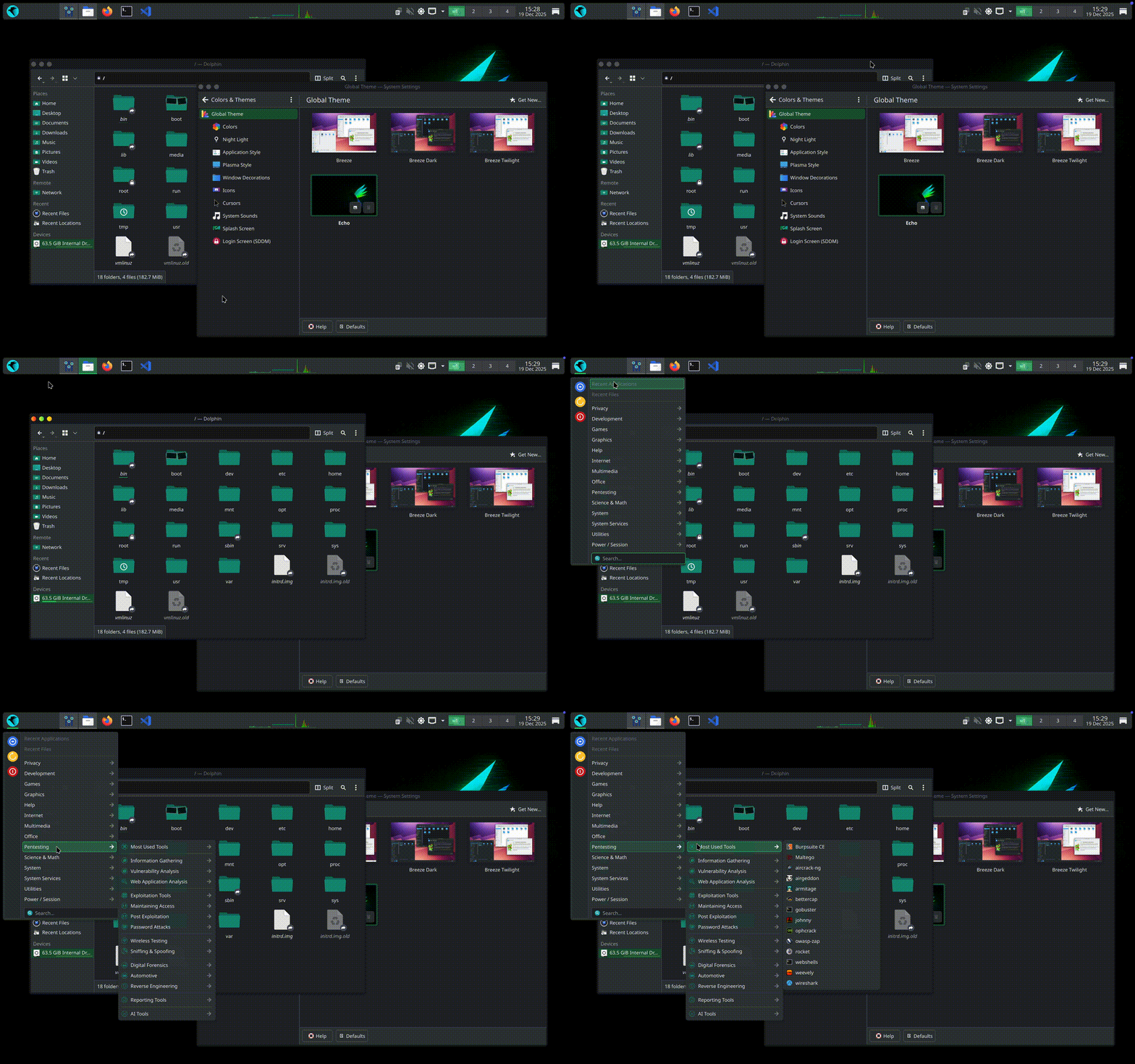
The key difference between ParrotOS and Kali is that it was originally designed not only for penetration testing but also for privacy protection. Out of the box, Tor, Anonsurf (a utility for anonymizing all traffic), and built-in encryption tools are available. This makes Parrot convenient for both work and everyday use — there's a separate Home edition without the testing toolkit.
What's New in ParrotOS 7.1 in 2025–2026
| Version | Date | Key Changes |
|---|---|---|
| 7.1 | February 2026 | Enlightenment and LXQt spins, Mirror Director for automatic mirror selection, Rocket 1.5, MCPwn for AI integration, GRUB fix, i386 restored for compatibility. |
| 7.0 (Echo) | December 2025 | Complete rebuild on Debian 13 Trixie, KDE Plasma 6 as default (Wayland), AI tools category, HexStrike AI, ConvoC2, AutoRecon, RISC-V support, parrot-updater rewritten in Rust. |
Version 7.1 introduced something fundamentally new: a section of tools for testing AI system security. For now, it's HexStrike AI — a utility for testing the resilience of language models against manipulative prompts. The field is young but telling: Parrot was the first among pentesting distributions to designate it as a separate category. Another novelty is official RISC-V architecture support.
Key ParrotOS Tools
| Tool | Purpose |
|---|---|
| Anonsurf | Redirecting all system traffic through the Tor network with a single command |
| HexStrike AI | Auditing language model resilience against prompt injection |
| MCPwn (new in 7.1) | Server for safely integrating AI agents with pentesting tools via YAML |
| ConvoC2 | Red Team tool for exploiting MS Teams |
| Rocket 1.5 | Launching tools in isolated Docker containers via GUI |
| AutoRecon | Multi-threaded automatic network reconnaissance |
| Caido 0.53 | Modern Burp Suite alternative focused on speed |
As for limitations, the tool set is smaller than Kali Linux. The community is active, but there's noticeably less documentation and ready-made guides. If you're learning from books and courses where everything is demonstrated on Kali, Parrot will require adaptation.
| System Requirements | Value |
|---|---|
| Min. RAM | 4 GB |
| Rec. RAM | 8 GB |
| Min. Disk | 40 GB |
| Rec. Disk | 50+ GB SSD |
| Architecture | 64-bit only |
Who Should Use ParrotOS
Beginners who need a friendly interface, those who want to use a single distro for both work and everyday tasks, specialists working with privacy and anonymity, and those testing AI system security. Parrot offers five editions: Security (full toolkit), Home (everyday use), HTB (for the Hack The Box platform), Raspberry Pi, and cloud images for servers.
BlackArch Linux: Not for Beginners — A Review of the Most Powerful Arsenal
BlackArch Linux
- Absolute record for tools. Over 2,850 tools in the repository — more than any other distribution. Coverage from reverse engineering and forensics to firmware analysis and anti-forensics.
- Flexible installation. Can be deployed as a standalone system (Full/Slim/Netinstall ISO) or added as a repository on top of an existing Arch Linux installation with a single command.
- Minimal resource consumption. About 330 MB RAM at idle. Rolling release — access to the freshest package versions faster than Debian-based distributions.
- High barrier to entry. Arch Linux requires experience. No graphical installer with hints, documentation is sparse. First setup takes hours.
- Full ISO not for updates. Installing from the Full ISO is officially not recommended — conflicts may occur during updates. Slim or Netinstall are preferred.

This is not so much a distribution as a massive tool repository built on Arch Linux. Over 2,850 tools, more than Kali Linux. You can install BlackArch Linux as a standalone system from an ISO image, or add its repository to an already running Arch and install only the packages you need.
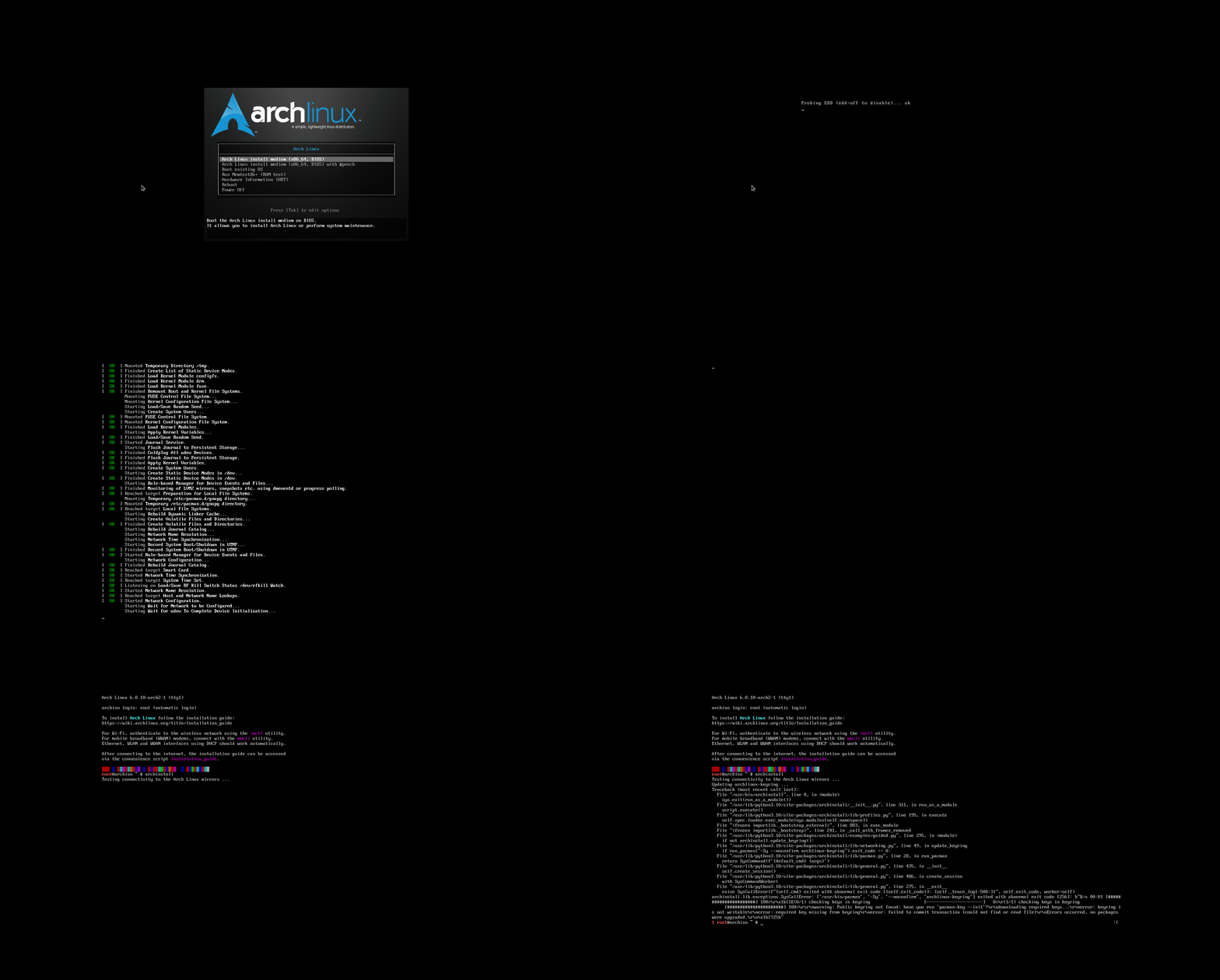
BlackArch Linux Installation
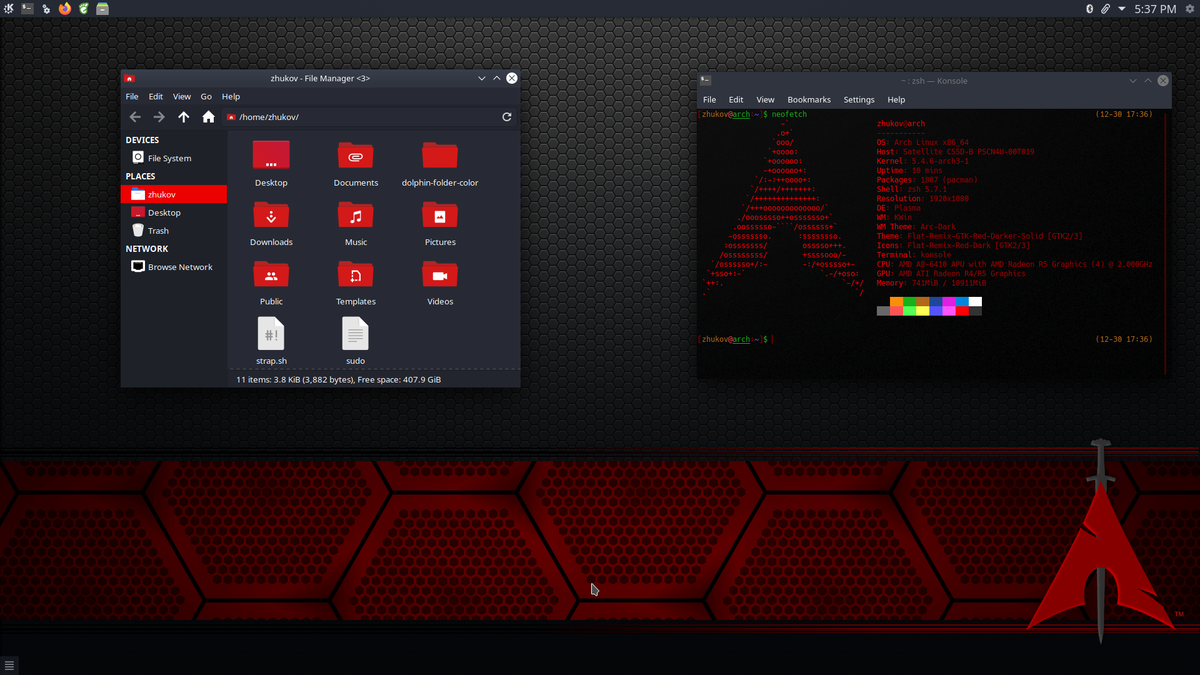
Standard BlackArch Linux Desktop
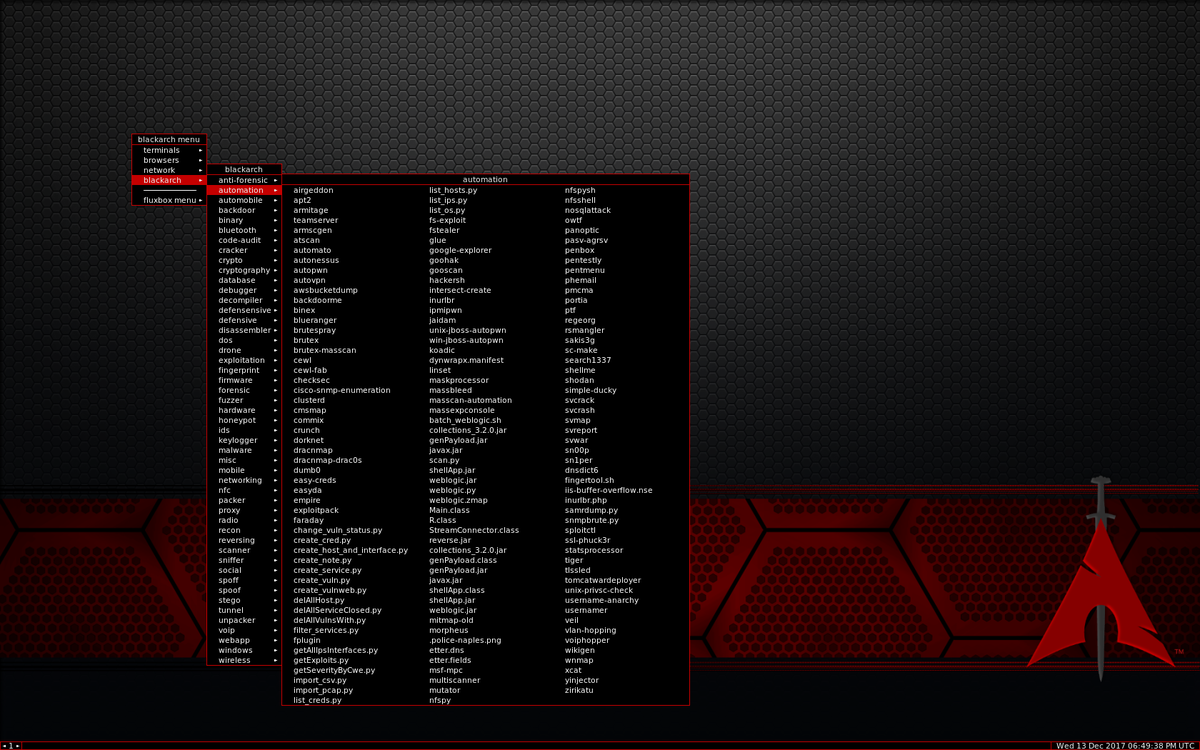
BlackArch Linux menu: what Kali fits in 16 items is split into 40+ specialized categories here
By default, it uses the Openbox window manager — minimalist, fast, no frills. Resource consumption is low: about 330 MB of RAM at idle. This makes BlackArch suitable for working on low-end machines and older laptops. The flip side is the barrier to entry. Arch Linux assumes the user knows what they're doing. There's no graphical installer with hints, documentation is sparse, and the community helps those who have already tried to figure things out themselves. If you haven't worked with Arch before, the initial setup will take noticeably longer than with Kali or Parrot.
BlackArch Linux Updates 2025-2026
| Version | Date | Key Changes |
|---|---|---|
| Rolling | Continuous | Repository is updated constantly; as of February 2026 — 2,851 tools. New Slim and Netinstall ISOs with GUI installer. OVA images for VirtualBox/VMware. Warning: Full ISO is not recommended for updatable installations |
However, updates arrive faster than in Debian-based distributions: Arch Linux is a pure rolling release, packages are updated continuously. For researchers who need access to the freshest tool versions, this matters significantly.
Key BlackArch Linux Tools
| Tool | Purpose |
|---|---|
| 2,850+ packages | The largest repository among all pentesting distributions |
| Blackman | Building tools from source, a makepkg analog for pentesting |
| Sn1per | Automated reconnaissance and vulnerability scanning |
| Ghidra | Binary reverse engineering (NSA) |
| Cewl | Generating custom wordlists based on website content |
| Responder | Intercepting credentials in local networks via LLMNR/NBT-NS |
| Firmware Analysis Toolkit | Analyzing and extracting data from IoT device firmware |
Who Should Use BlackArch Linux
Experienced Linux users who want to precisely select tools for specific tasks; security researchers who need up-to-date versions; those already working on Arch who want to expand its capabilities without migrating to another system.
| System Requirements | Value |
|---|---|
| Min. RAM | 2 GB (Slim) |
| Rec. RAM | 8 GB+ |
| Min. Disk | 20 GB (Slim) |
| Rec. Disk | 50+ GB |
| Architecture | 64-bit only |
BackBox
- Arsenal: About 200 tools (only tested and stable ones).
- Base: Ubuntu LTS guarantees maximum stability and compatibility.
- Lightweight: Xfce desktop flies even on older laptops.
- Automation: Built-in scripts for routine audit tasks.
- Barrier to entry: The most friendly option for those accustomed to Ubuntu.
Built on Ubuntu LTS, it uses the lightweight Xfce desktop environment and contains a relatively modest set of tools, but each one has been tested and works reliably. BackBox doesn't try to compete with Kali in terms of tool quantity. Its philosophy is different: provide a ready-made, stable working environment for security assessment without overloading the system.
Being based on Ubuntu means a familiar APT package manager, extensive repositories, and a large amount of documentation — not specific to BackBox, but general to the Ubuntu ecosystem. For administrators accustomed to Ubuntu on servers, the transition to BackBox is painless.
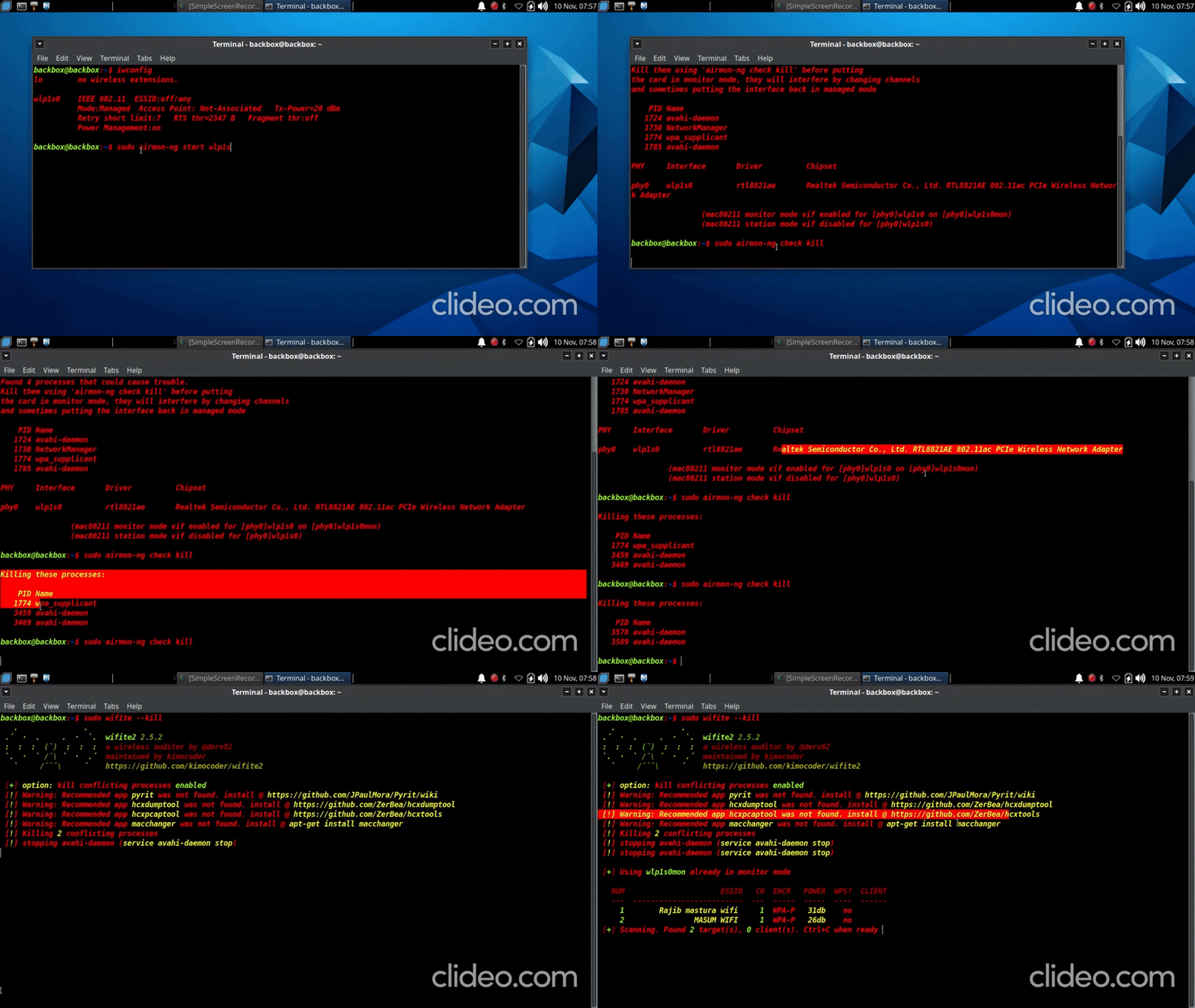
Who should use it: system administrators who periodically need to check infrastructure security, beginners who want stability and simplicity, and those already working in the Ubuntu ecosystem.
Pentoo
- Arsenal: About 400 tools (focus on networking and hardware).
- Specialization: Best driver support for Wi-Fi, Bluetooth, and SDR (radio).
- Kernel security: Hardened Kernel patches (Grsecurity/PaX) protect the OS itself.
- Optimization: Gentoo base ensures maximum hardware-specific performance.
- Resilience: Excellent Live USB operation with persistence (changes saved between sessions).
Pentoo is a niche solution based on Gentoo. Its strength lies in working with wireless networks. Pentoo is focused on network testing: traffic analysis, access point auditing, and interception. The kernel is hardened with PaX and Grsecurity patches, increasing the system's own resistance to attacks. About 400 tools — fewer than competitors, but selected for specific tasks.
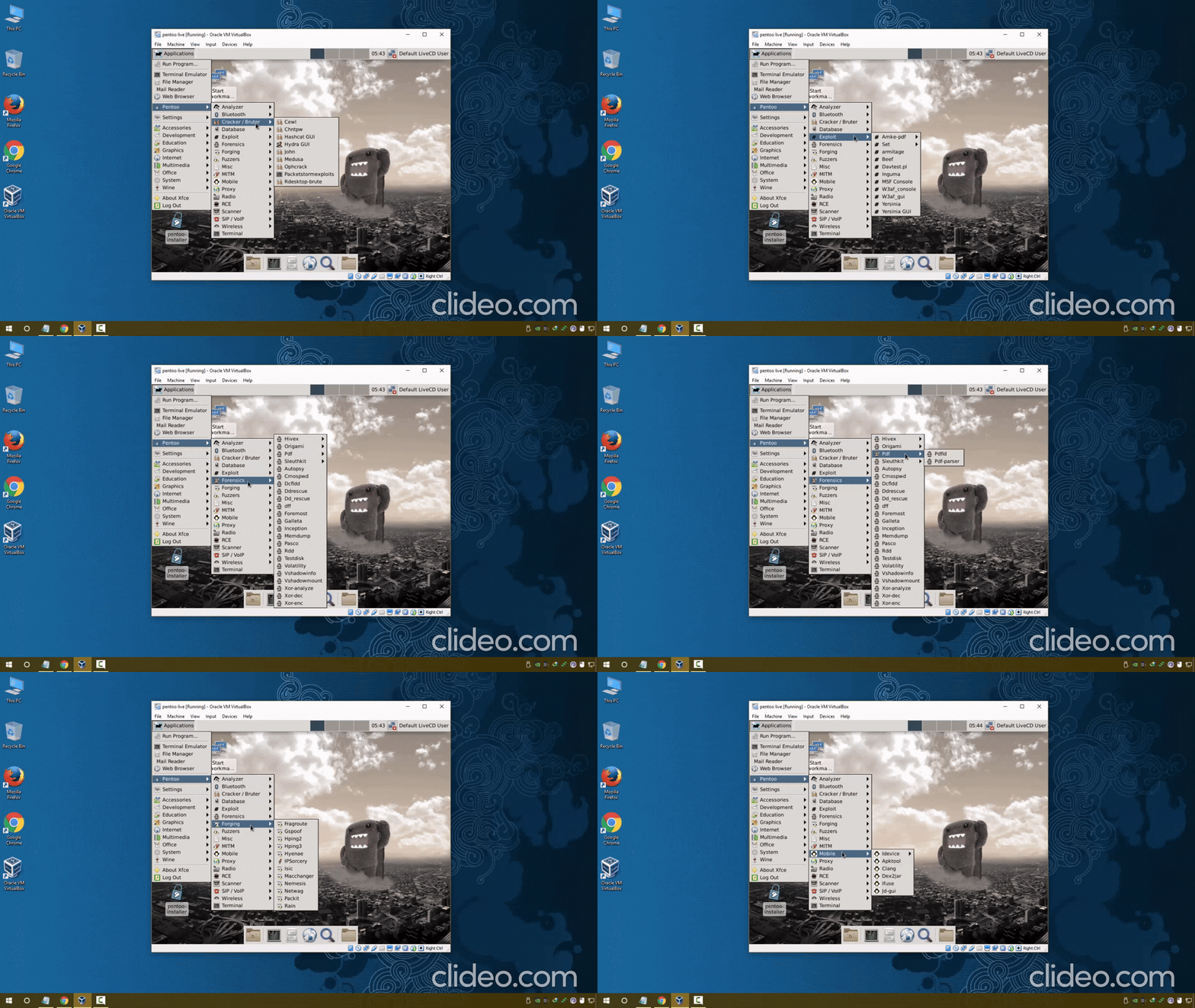
Gentoo is a source-compiled distribution: every package is built from source code tailored to the specific hardware. This provides a performance boost but significantly complicates installation and maintenance. Pentoo is the choice for those who know exactly why they need Gentoo.
CommandoVM
- Arsenal: Over 140 tools (Windows-specific).
- Environment: Native Windows operation without virtualization or emulators.
- Target: Ideal for attacks on Active Directory and corporate domains.
- Deployment: Automated script installation on clean Windows 10/11.
- Office: Convenient attack vector via MS Office macros and PowerShell.
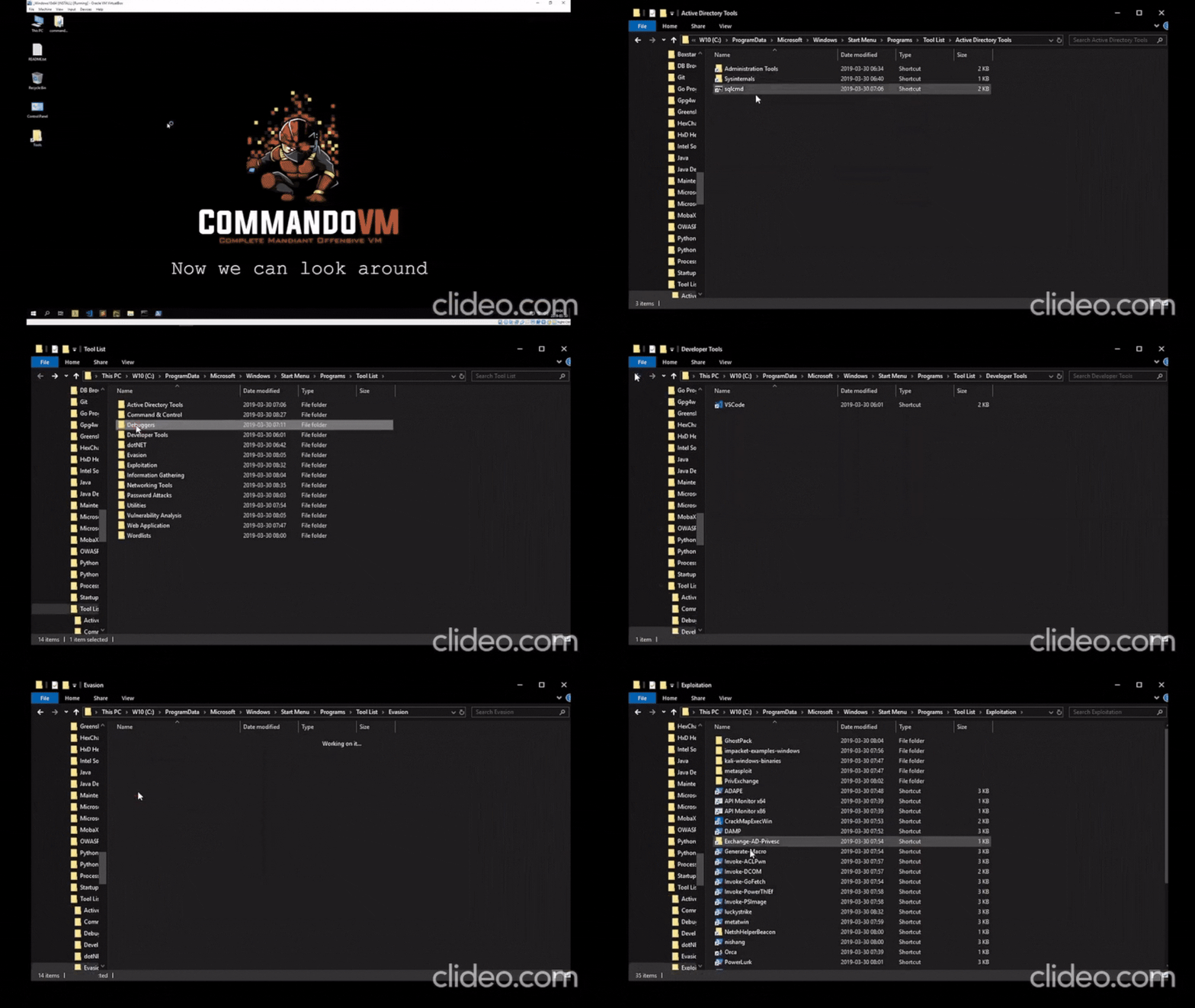
CommandoVM deserves mention because it's the only serious penetration testing build for Windows. Developed by Mandiant (a Google division). Over 140 tools, primarily tailored for the Active Directory environment. If your task is testing corporate Windows networks, CommandoVM lets you work in the target's native environment without switching between virtual machines.
It's also worth mentioning the choice of runtime environment. In 2026, more and more testing is conducted not on physical machines but in virtual environments and containers. Kali and Parrot offer ready-made images for VirtualBox, VMware, Docker, and WSL. BlackArch works in Docker and on ARM devices. For quick cloud deployment, ParrotOS and BlackArch are available on AWS, Azure, and GCP via ready-made images. Kali is actively developing its mobile direction through NetHunter — a full-fledged testing environment from your phone.
Another factor often overlooked is compatibility with training platforms. If you work with Hack The Box, ParrotOS has a special HTB Edition. For preparing for OffSec certification (OSCP, OSEP, OSED), the natural choice is Kali. For self-study from scratch, Parrot is gentler — its Home edition is suitable for everyday use, and you won't need to maintain a separate system for regular tasks.
| Distribution | Key Feature |
|---|---|
| Kali Linux | Industry standard with the most extensive documentation. |
| ParrotOS | More user-friendly, more private, and already looking toward AI security. |
| BlackArch | Maximum tools with minimum restrictions, but requires experience. |
| CommandoVM | When the target environment is Windows. Choose based on the task, not by the number of tools in the description. |